
Deal or No Deal
Senior GamesTrivia
4.3135.00 Reviews
- Version
- 2.0.13
- Installs
- 100.00K
- Age Rating
- Everyone
Screenshots
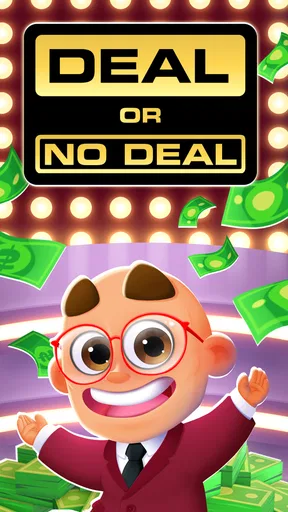
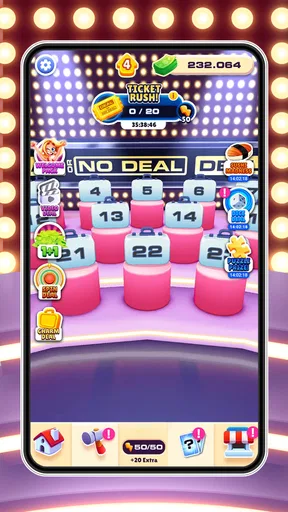
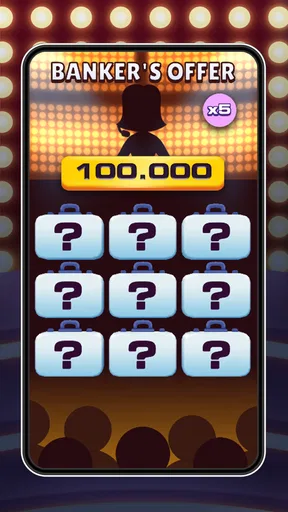
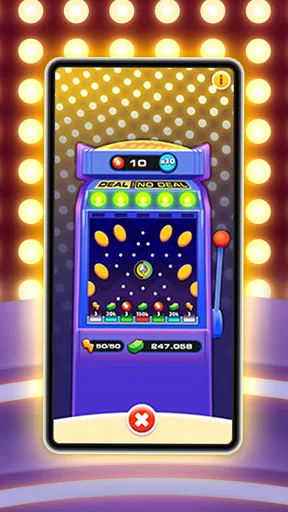
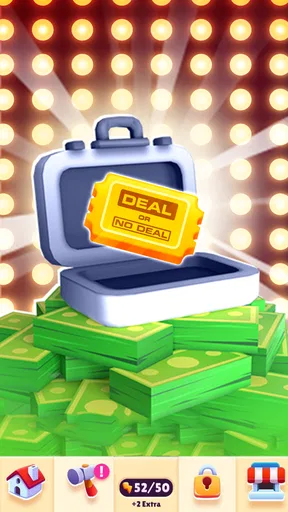
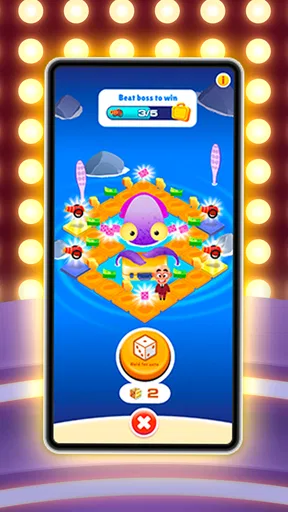
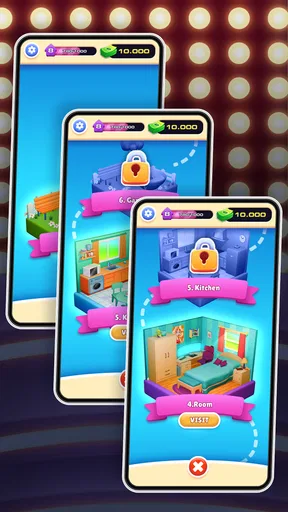
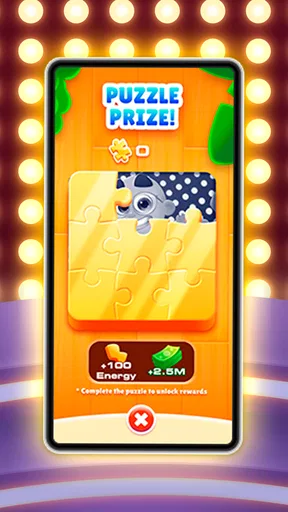
Our Review of Deal or No Deal
 Analysis by Appyee
I approached Deal or No Deal as a quick trivia-style game rather than a full replacement for a console game-show experience. Its appeal is easy to understand: it puts the familiar deal-making theme into a free mobile format, with slots-style play at the center. After spending time with it, I found that the main question is not whether the concept is recognizable, but whether this particular format suits the way you like to play on a phone.
Senior Games is the developer behind this release, which sits in the trivia category and is suitable for Everyone. It is free to install, although optional purchases range from $0.99 to $20.99 per item. That combination makes it approachable for a casual test, but it also means I would pay attention to how quickly the game encourages continued spending before settling into a regular routine.
The store page shows a 4.3 average from around 2.2 thousand ratings, with over 100 thousand installs. Those figures suggest that the basic idea has found an audience, but they do not tell you whether it will match your personal tolerance for repetition, chance, or purchase prompts. My experience is that this is best considered a light, short-session game for fans of the Deal or No Deal theme, not a deep trivia package with a large learning curve.
Where players are most likely to get stuck
I found the biggest sticking point is expectation: the game’s slots-style approach may surprise anyone who came looking for a conventional question-and-answer quiz. I’d take the first few minutes to learn the screen flow and decide whether its chance-led rhythm is enjoyable before judging how well it suits longer play.
The first session can feel less obvious than the premise
The name gives you a strong idea of the theme, but a mobile adaptation built around slots can create a small adjustment period. Someone expecting a direct question-and-answer quiz may initially wonder how much knowledge is required and how much progress depends on the game’s chance-driven rhythm. I found it useful to treat the opening session as orientation: learn what each screen is asking you to do before worrying about making the most efficient choices.
That distinction matters because trivia games normally reward recall, while a slots-style game tends to reward repeated interaction and patience. If you install it expecting a traditional quiz with a long list of questions, the experience may feel lighter than anticipated. If you want a themed game that can fill a few spare minutes, the format makes more sense.
Do not judge the whole game by a rushed opening
A common mistake is tapping through the early screens quickly, then assuming a button, reward, or result did not work. On a small phone display, it is easy to overlook a confirmation or interpret a transition as a stalled screen. My practical advice is to slow down during the first round, especially when the game changes from one part of the presentation to another.
This is also where expectations about the word “official” can cause confusion. The store summary presents the game as an official Deal or No Deal slots experience, but that does not mean it will reproduce every element of watching the television show. I would approach it as a compact mobile interpretation of the brand, with its own pace and interface.
Chance and choice do not always feel equally important
The biggest trade-off is the balance between player decisions and random outcomes. If you enjoy trying to manage risk, the theme can make ordinary rounds feel more engaging. If you prefer games where careful answers consistently determine success, the slots structure may feel less satisfying. That is not a technical fault, but it is an important reason some players will stop using it after the novelty fades.
I also recommend deciding in advance whether you are comfortable with optional purchases. Free entry is helpful, yet a game built around repeated sessions can make small purchases feel tempting when progress slows. Keeping the game within a fixed entertainment budget is a better approach than treating every offer as part of the normal route to success.
Setup checks that prevent avoidable frustration
Before settling in, I’d check that the phone runs Android 7.1 or later and that the installed version is current. On a shared device, I’d also review purchase controls before handing it to a child; these small checks help separate compatibility and spending concerns from the game itself.
Start with the basic compatibility details
The current version is 2.0.13, and the minimum operating system is Android 7.1. Before blaming the game for an installation or launch problem, I would first check that the phone meets that requirement and has enough free space for a fresh installation and its temporary files. Older devices may technically qualify while still feeling slower during transitions, especially if many other apps are open.
The release date is December 26, 2024, so I would also make sure the app is being installed from the current store listing rather than relying on an old copy already sitting on a device. A normal update path is usually safer than repeatedly removing and reinstalling without checking the operating system first.
Use a clean first launch
For the first run, I prefer closing demanding apps, connecting through a stable network, and allowing the game a little extra time to finish loading. This is simple advice, but it separates a genuine application problem from a phone that is low on memory or switching between unstable connections. If the first screen takes longer than expected, I would wait briefly before tapping repeatedly; multiple taps can make it harder to tell whether the interface is responding.
It is worth checking the phone’s volume and silent mode too. A game-show-inspired title can seem unresponsive when the real issue is that sound effects are muted. I would not assume that missing audio means the round itself has failed. First confirm the device volume, then close and reopen the game if the interface still behaves strangely.
Think about purchases before you begin
Because the game is free but includes optional items priced from $0.99 to $20.99, I would review the device’s purchase controls before handing the phone to a child. The Everyone age rating makes it broadly accessible, but age suitability does not remove the need for sensible spending safeguards. This is particularly important when the game is used casually by several people on the same device.
My preferred setup is to play several sessions without buying anything. That gives you a clearer idea of the natural pace and whether the core loop is enjoyable on its own. If the game only becomes appealing after spending, that is useful information before any payment is made.
Do not confuse a slow connection with lost progress
When a result or screen appears late, the safest first step is to avoid closing the app immediately. Give the current action time to finish, then look for a visible change. If the screen remains unchanged, return to the game normally and see whether the previous action was recorded. Repeatedly pressing a play or purchase control during a delay is more likely to create confusion than to solve it.
I would also avoid testing the game for the first time while moving between Wi-Fi and mobile data. A stable connection makes it easier to identify whether a problem belongs to the app, the phone, or the network. This is a small but useful distinction for a game that depends on a smooth sequence of screens.
Recovering a disrupted session without making it worse
If a screen stops changing, I’d pause before tapping again, then reopen the game normally and inspect where the session resumes. For a delayed purchase, I’d check the store account’s payment history before trying again, so a slow confirmation does not turn into an avoidable duplicate charge.
When a round appears frozen
If the game stops responding, I would begin with the least disruptive recovery: wait, check whether another screen is covering the game, and then leave and reopen it normally. Only after that would I force-close the app. A restart can clear a temporary interface problem, but it should not be the first reaction to every delay because it may interrupt an action that is still being processed.
After reopening, check the visible state before starting another round. If the game has returned to the previous screen, continue from there instead of repeating the last tap immediately. This habit is especially useful in chance-based games, where starting another action too quickly can make it difficult to know which result belongs to which attempt.
When progress seems to have disappeared
A missing balance, reward, or completed action can sometimes be a display delay rather than permanent loss. I would first restart the game once, confirm that the phone has a stable connection, and give the relevant screen time to refresh. I would not uninstall the app as an initial troubleshooting step, because deleting local app data can remove useful context and may not solve an account or connection issue.
If the same problem continues, note exactly what happened: the screen you were on, the action you selected, and whether the game closed or merely stopped changing. That information is far more useful when seeking help than saying only that the game “lost something.” It also helps you decide whether the issue is repeatable or was a one-time display error.
Be careful with purchase recovery
Purchase-related problems deserve a slower response than ordinary gameplay glitches. If an item does not appear immediately, I would avoid buying it again until the first transaction has clearly completed or failed. Check the store account and payment history first, then reopen the game. A second attempt made during a delay can create an unnecessary duplicate charge.
This is one of the strongest reasons I would keep spending optional. The game is easy to try for free, so there is little benefit in paying before you understand the interface and the timing of its confirmations. If a purchase issue remains, use the normal store support route and keep the transaction details available rather than repeatedly tapping the same offer.
Protect the test by changing one thing at a time
When troubleshooting, I prefer a controlled sequence: check compatibility, stabilize the connection, restart the app, and only then consider reinstalling. Changing several settings at once makes it impossible to know what helped. It is also sensible to update the operating system and the app through the normal store process when updates are available, rather than using unofficial installation files.
That approach is not exciting, but it is effective for a casual game. Most people want to get back to playing, not perform a long technical investigation. A short, orderly check usually gives a clearer answer than repeatedly clearing data or switching networks at random.
When the app may not be the real cause
A sluggish handset or unreliable connection can make a brief game feel broken, so I’d compare its behavior with other apps and try again on a stable network. If the interface works but the chance-based format simply feels repetitive, that is a preference mismatch rather than a problem a restart can fix.
Older phones can make a simple game feel unreliable
Meeting the minimum Android requirement does not guarantee identical smoothness on every device. Storage pressure, limited memory, battery-saving restrictions, and a crowded background process list can all affect loading and screen changes. If other games and apps are also slow, I would look at the phone’s general condition before blaming this title specifically.
Freeing some storage, closing unused apps, and restarting the phone are reasonable first checks. I would also avoid playing while the device is overheating or charging under heavy load. A game that feels fine after the phone cools down may have been affected by the handset rather than by its own basic design.
Network behavior can look like a gameplay error
A delayed screen, missing result, or incomplete transition may be caused by an unstable connection. Test the game in one location with a reliable signal before deciding that a feature is broken. If the problem appears only on one network, the next step is to compare it with another connection rather than immediately deleting the app.
This matters for everyday use. Imagine opening the game during a train ride, losing signal in a tunnel, and then returning to a screen that has not refreshed. I would wait until the connection is steady before taking further action. The safest choice is to avoid starting a purchase or another important round during that uncertain moment.
Expectations can create the wrong diagnosis
Some dissatisfaction is about design rather than malfunction. A player who wants a serious trivia challenge may call the game repetitive, while someone looking for a relaxing branded diversion may find that same simplicity comfortable. Likewise, a person expecting the television format to dominate every screen may interpret the slots presentation as a missing feature when it is actually the central design choice.
For me, the practical test is straightforward: do you enjoy the interaction even when you are not chasing a large goal? If the answer is yes, the game can work as a small break between other activities. If you need deep question variety, strategic progression, or a strong offline-style experience, a conventional quiz game is probably the better alternative.
Who should choose something else
I would skip this game if your main reason for installing it is to test general knowledge in a structured way. A dedicated trivia app will usually make correct answers, categories, difficulty, and learning the center of the experience. I would also look elsewhere if you dislike chance-driven mechanics or do not want to manage optional purchase prompts.
On the other hand, fans of the Deal or No Deal atmosphere may appreciate having a recognizable theme in a short-session format. It can suit someone who wants a few minutes of low-commitment play rather than a campaign that demands concentration. The free price makes that experiment easy, provided you are comfortable stopping without buying anything.
My practical verdict after using it
My verdict is to try it free and decide based on the actual rhythm, not just the familiar theme. I’d recommend it for short, relaxed sessions, but choose a traditional trivia game for knowledge-driven challenges or a more skill-focused alternative if random outcomes are not your thing.
A good fit for short, themed sessions
Deal or No Deal works best as casual mobile entertainment with a familiar game-show identity. I like that the entry barrier is low: it is free, rated for Everyone, and simple enough to understand without studying a manual. The slots-oriented approach gives the game a distinct personality, even though it also limits how much it resembles a traditional trivia challenge.
My most useful tip is to separate three questions: is the game loading correctly, do I enjoy its chance-based rhythm, and am I comfortable with its optional spending model? Those are different issues. Solving a loading problem will not make the format more strategic, and buying an item will not necessarily make a repetitive loop more enjoyable.
What I would do before recommending it
I would install it on a compatible phone, play several free sessions, and pay attention to how the game feels after the first novelty wears off. I would keep purchase controls in place, especially on a shared device, and avoid making a payment during a delayed screen. If the app closes or appears stuck, I would use the gentle recovery steps above before reinstalling.
I would recommend it to a friend who enjoys branded game-show themes, quick rounds, and a relaxed mix of interaction and chance. I would not recommend it to someone specifically asking for a demanding quiz, a purely skill-based game, or a feature-heavy alternative to a television episode. The 4.3 average and growing install base make it worth trying, but your enjoyment will depend much more on that format preference than on its popularity.
The bottom line
Senior Games has made an accessible free entry for people curious about Deal or No Deal on mobile. Its strengths are the recognizable theme, easy start, and suitability for brief play. Its limitations are equally clear: the slots structure may not satisfy serious trivia fans, repeated sessions can feel less rewarding if you want constant variety, and optional purchases require a little self-control.
For me, it earns a cautious recommendation rather than an automatic one. Try it without spending, use a stable setup, and judge the actual rhythm of play instead of the title alone. If that rhythm fits your spare moments, it can be an enjoyable little diversion; if you are searching for a deep quiz, a conventional trivia game will serve you better.
Verdict
Strengths of Deal or No Deal
- Simple rules make it easy for new players to start.
- Short rounds suit quick gaming sessions.
- Offers a wide range of potential prizes.
- Tension builds well as briefcases are eliminated.
- Bright visuals and familiar TV-show presentation.
Limitations of Deal or No Deal
- Results can feel heavily dependent on luck.
- In-app purchases may affect the overall experience.
- Repeated rounds can become predictable over time.
- Some features may require an internet connection.
- Large prizes are unlikely without extended play.
Other Releases by Senior Games
View All


Similar Picks in This Category
View All
Millionaire 2026 Quiz & Trivia
Quiz & Trivia Games by Submarine Apps4.5

Brain Test 2: Tricky Stories
Unico Studio4.7

Trivia Crack: Brain Quiz Games
etermax4.4

QuizzLand. Quiz & Trivia game
Quiz & Trivia Games by Mno Go Apps4.8

Brain Test: Tricky Puzzles
Unico Studio4.7

Logo Quiz
bubble quiz games4.5
Frequently Asked Questions
What is Deal or No Deal, and how does the mobile game work?
Deal or No Deal is a game-show-inspired mobile game based on choosing numbered briefcases and deciding whether to accept offers from the Banker. After selecting a case, you open others round by round to reveal their values. The objective is to keep a high-value prize in play while judging whether the Banker’s offer is worth accepting or whether you should continue taking risks.
Is Deal or No Deal free to download and play?
The game is generally available as a free download, although the exact pricing model may vary depending on the version, platform, region, and publisher. Free versions can include advertisements, optional in-app purchases, or virtual currency. Before downloading, check the Google Play Store or App Store listing for current purchase details, supported devices, subscription information, and whether certain features require additional payment.
Does Deal or No Deal require an internet connection?
Some versions of Deal or No Deal may allow basic gameplay offline, while others require an internet connection for advertisements, account features, leaderboards, cloud saving, or online events. The requirements can differ between Android and iOS releases. If offline access is important to you, review the store description and test the game after installation, since certain modes or rewards may remain unavailable without connectivity.
Are there in-app purchases or advertisements in Deal or No Deal?
Many mobile editions of Deal or No Deal use advertisements and optional in-app purchases to support free gameplay. You may encounter video ads between rounds or offers to buy virtual currency, extra chances, or other bonuses. These purchases are not usually necessary to understand the core game, but users should review the payment settings and enable parental controls if children will be playing.
Is Deal or No Deal suitable for children and safe to play?
Deal or No Deal is easy to understand and does not usually involve complex controls, making it accessible to younger players. However, the game’s prize-based format, advertising, and possible in-app purchases should be considered before allowing children to play. Check the age rating, privacy policy, permissions, and data practices listed for your specific Android or iOS version.
Play our best games!


